Go to Content
RUEN中文

1C · Access CONTROL SYSTEM · API · acquiring

Integration of information systems

Turnstiles, ticket offices, 1C, CRM and the site begin to exchange data themselves. Employees stop transferring numbers with their hands.

We will respond during the day, from 9:00 to 23:00 Moscow time. If you don't need a technical specification, we'll help you draw it up.

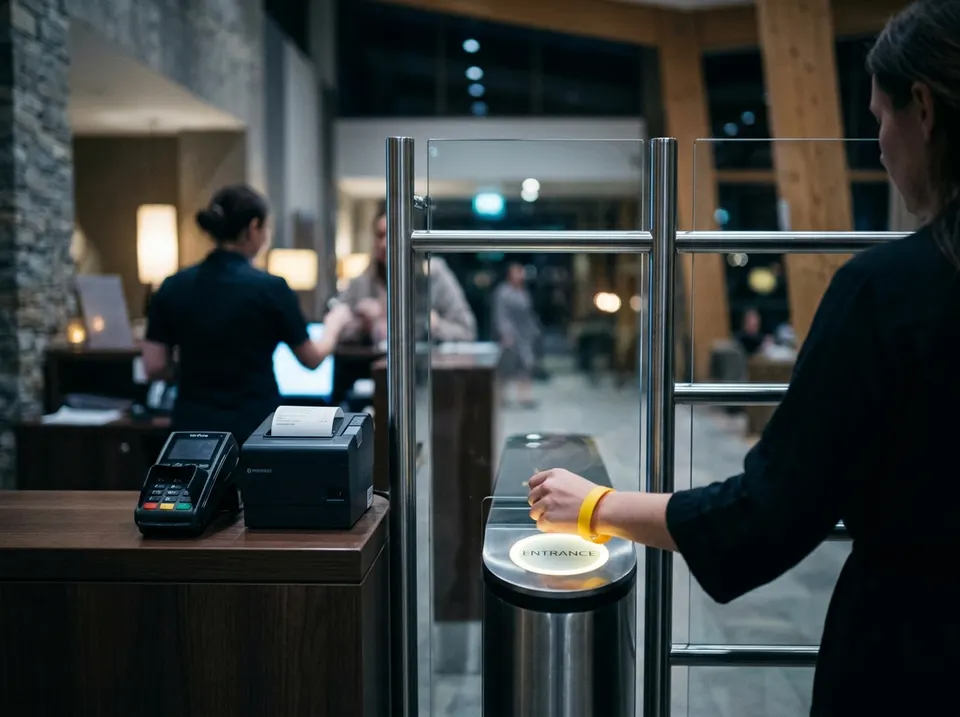
Гость прикладывает браслет к турникету на ресепшене термального комплекса

What they come with

Access CONTROL SYSTEM 1C

The turnstile does not allow a guest with an extended subscription

The subscription was renewed in the accounting system, but the data did not reach the turnstile controller. We set up the exchange so that the passage opens immediately after payment.


Yandex . Checkout , accounting

Revenue per day does not converge with 1C

Yandex.Checkout, acquiring, and SBP upload data in different ways. We link yandex.Checkout with 1C and make payments by legal entities without manual reconciliation.

Site, CRM

Requests from the site do not reach the CRM

Applications come to the mail and are lost. We transfer them to CRM automatically and make sure that the exchange does not stop.

Old system , new

The new system does not exchange data with those already installed

The system was selected and bought separately from the rest, and now it needs to be integrated into what is already working. We set up the exchange without replacing the systems that suit you.

What are we doing

Auditing data flows

What data and where should it go

Integration scheme

What and how we connect the systems

1C exchanges with CRM, website, marketplaces

Applications, goods and balances without manual transfer

Integration of equipment (access control systems, cash registers, video)…

Access control systems, cash registers and videos are connected to 1C

Own connectors via API

We write an exchange if there is no ready-made solution

Exchange monitoring and support

We report the failure before the employees

What we work with

1С1C platform:Enterprise, typical and industry configurations

How is the work going

  1. Auditing data flows

    We look at what systems there are, what should go between them and how, and where they are being transferred manually now.

    Data flow diagram and list of issues

  2. Solution

    We offer an integration scheme: We link what and how, via the API or in another way.

    Exchange scheme and term

  3. Setting up exchanges

    We set up exchanges between systems and, if necessary, write connectors for the API.

    Working data exchange

  4. Monitoring and support

    We set up monitoring, which reports a failure of the exchange before the employees notice it.

    Support agreement for integration

Questions

Is it possible to link systems that are already standing?

Yes, in most cases, nothing needs to be changed.

What if the system doesn't have an API?

We will find another way: file sharing, direct connection to the database or revision.

Who is responsible if the exchange is broken?

We if integration is on our support. Exchange monitoring reports a failure, and we start to figure it out without waiting for your call.

Tell us which systems need to be linked

In your own words and without a technical task. We will respond during the day, from 9:00 to 23:00 Moscow time.

What will happen after the application

  1. The specialist will read the application and contact you in a convenient way.
  2. He will ask some clarifying questions and tell you if it is possible to solve the problem remotely.
  3. He will offer 2-3 options and the next step: audit, departure or work immediately.

Is it more convenient in the messenger?

+79262103289Employees respond from 9:00 to 23:00 Moscow time, every day

We will answer where it is more convenient for you

Add details: budget, file

Diagram, photo, or technical specification — up to 10 MB

We use contacts only to respond to a request

Name the code in the first message

This way we will find your question faster and understand where you came from.